
Ventusky: Weather Forecast
VentuskyWeather
4.6703.00 Reviews
- Version
- Varies With Device
- Installs
- 1.00M
- Age Rating
- Everyone
Screenshots
Our Review of Ventusky: Weather Forecast
 Analysis by Appyee
When rain is somewhere on the way, a simple forecast can leave me asking the same question: will it reach my area before I get home, or miss me altogether? Ventusky: Weather Maps & Radar is built for exploring that question visually. Instead of relying only on a short summary, I can follow weather across a map and see how conditions are arranged around a place. That makes the app especially useful when the timing and direction of a weather system matter more than a single icon.
Why the map changes the forecast
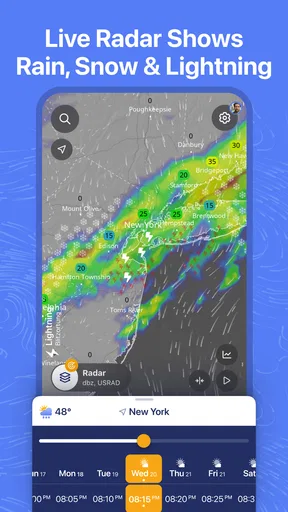
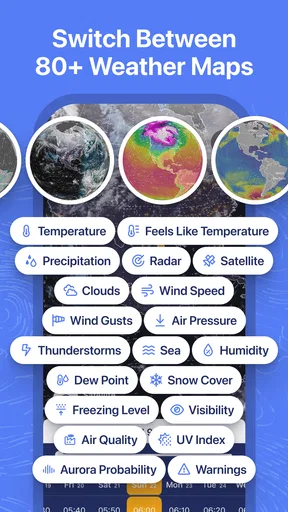
The central idea is straightforward: weather is easier to understand when I can see it moving across a region. Ventusky presents a map-based view of conditions, with layers such as precipitation, cloud cover, wind and air pressure. The practical benefit is context. A rain symbol for my town tells me what may happen there; a map can help me judge whether the rain is nearby, widespread or approaching from another direction.
That visual approach is not a replacement for every kind of forecast. If I only need to know whether to take a coat, a conventional weather app with a compact daily outlook may be quicker. I turn to Ventusky when I want to investigate rather than glance: for example, when a shower could affect a walk, when wind matters for an outdoor plan, or when I am curious about how a front is moving beyond my immediate neighborhood.
How I use the layers without getting lost
On a first visit, the number of map options can feel like a lot. I get more from the app when I choose one question before exploring: Is rain heading here? Is the wind strengthening along my route? How much cloud cover is moving through? Then I select the relevant view and keep the map centered on the area I care about. Switching between several layers without a clear purpose can make the screen interesting but the forecast harder to interpret.
A useful habit is to zoom out before deciding what a local patch of color means. The wider view shows whether a feature is part of a larger system or an isolated area, while a closer view makes it easier to relate the map to nearby places. I also treat the animation as a guide to movement, not a promise of exact conditions at my front door. Weather maps are most helpful for spotting patterns; local terrain and changing conditions can still make the outcome less neat than the screen suggests.
For everyday planning, I would check the map, note the general direction and timing of a band of precipitation, and then look at the local forecast before making a decision. That small two-step workflow is more dependable than reading a moving map as if it were a minute-by-minute guarantee. It also keeps the app useful rather than turning every uncertain cloud into a reason to change plans.
A realistic day when the detail matters
Imagine I am planning to walk home after work and the sky looks unsettled. A basic forecast might show a chance of rain, but that alone does not tell me whether I should leave earlier, take a covered route or simply pack a light jacket. I can open Ventusky, focus on my area, and inspect the precipitation view at a broader scale. If a visible band is moving toward the region, I have a reason to prepare; if it appears to be passing elsewhere, I may decide not to reorganize the evening around it.
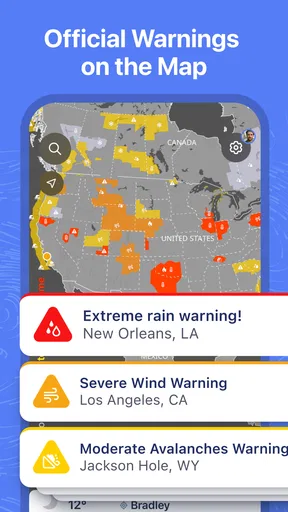
The key word is “may.” I would not use a map by itself to make a safety-critical decision or assume that a storm will follow an exact line. For severe weather, I would also check official local alerts and follow local guidance. The app’s visual detail helps me understand the larger picture, but it is not a substitute for authoritative warnings or on-the-ground judgement.
This same way of thinking helps with outdoor plans that depend on more than temperature. A cyclist can look at wind patterns before choosing a route, while someone arranging a picnic can check whether clouds and precipitation appear to be approaching. These are not guarantees, and the app cannot make the weather cooperate, but seeing the regional pattern can make the decision less of a blind guess.
Where it fits among weather apps
Compared with the usual weather app built around a location card, a daily high and low, and a short forecast, Ventusky puts more emphasis on exploration. That is its distinction and its trade-off. People who enjoy understanding weather systems will likely appreciate being able to inspect several kinds of information on a shared map. People who want one fast answer may find a simpler forecast screen more convenient, especially when they are checking the weather while rushing out the door.
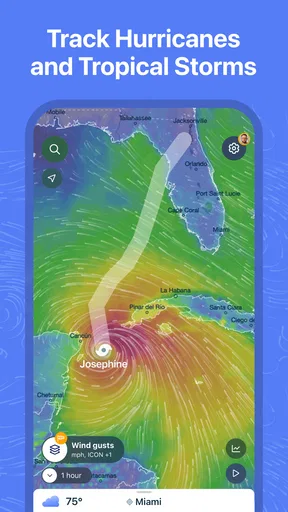
I would not judge an app like this only by how much information it can display. What matters is whether that information answers a real question. A map is a strong format for comparing places and following broad movement, but it takes a little interpretation. If you are unfamiliar with weather layers, start with precipitation or wind rather than trying to read every available detail at once. The app’s store summary describes more than eighty weather maps, live radar and storm and hurricane tracking, so there is plenty to explore; the sensible approach is to build up gradually.
It is also worth separating a visually detailed forecast from certainty. A map can make a forecast feel precise because it draws conditions across a landscape, yet the useful takeaway is often the broader trend: what is moving in, where it is concentrated and whether the pattern is changing. I find that distinction important. Ventusky is at its best when I use it to add context to a decision, not when I expect a colorful layer to settle every question.
Who will get the most from it
I would recommend Ventusky to people who regularly plan around changing conditions, enjoy looking at weather beyond their own street, or want a more visual way to understand rain and wind. It can suit travelers checking a route, outdoor enthusiasts comparing conditions across an area, and curious users who like seeing how weather patterns develop. The app is made by Ventusky and has a 4.7 average from around 21,000 ratings, which suggests it has found an audience among people who value this map-first style.
On the other hand, I would steer someone toward a simpler alternative if they mainly need a quick temperature and a short daily summary. The map’s extra depth is only useful if you are willing to spend a moment interpreting it. It may also be a poor fit for anyone who finds layered visual information tiring or prefers a notification to opening an app and exploring. That is not a flaw so much as a difference in what the app is designed to do.
Ventusky is free to download, rated Everyone, and has more than a million installs. Optional in-app purchases range from $3.99 to $24.99 per item. I would begin with the free experience and decide whether the way I use the maps makes any paid option worthwhile, rather than assuming I need to buy something before I know which features matter to me. Its release date is December 19, 2017, and it remains a focused choice for people who want weather presented as a changing picture rather than only a list of numbers.
First Impressions and Interface
When you first open Ventusky, you're greeted by a sleek and intuitive interface. The colors are vibrant, and everything feels just right in terms of spacing and layout. As someone who values aesthetics, I was pretty impressed by how clean and user-friendly the design is. No clutter, just everything you need right at your fingertips.
One of the coolest things I noticed was the interactive map. You can view weather patterns worldwide with just a pinch or swipe. It's incredibly detailed, showing everything from cloud cover to precipitation, wind speed, and even air pressure. It's like Google Maps but for weather nerds!
Features That Stand Out
Now, let's get into the nitty-gritty. The app offers a plethora of features that make it a standout in the crowded world of weather apps.
- Real-Time Weather Data: You get up-to-the-minute updates on weather conditions. This is perfect for planning outdoor activities or just knowing if you need that umbrella.
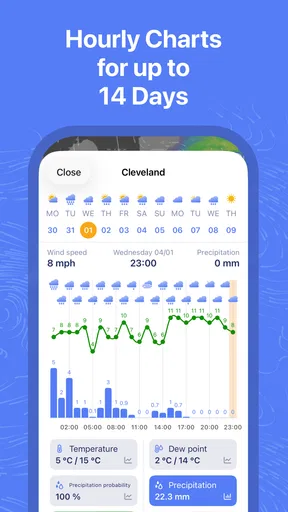
- Detailed Weather Predictions: The app doesn’t just tell you if it’s sunny or rainy; it dives deep into specifics like humidity levels, UV index, and even the dew point.
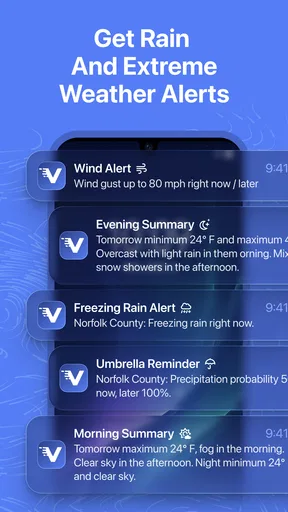
- Customizable Alerts: You can set alerts for specific weather conditions—super handy if you live in an area prone to sudden weather changes.
- Comprehensive Radar: The radar is probably my favorite. It's detailed and offers a bird’s-eye view of weather fronts and systems moving across the globe.
For those who are really into weather patterns, the app also provides animations that bring data to life. You can literally watch weather systems as they develop and move. It’s educational and, honestly, quite mesmerizing.
Usability and Performance
Using Ventusky: Weather Maps & Radar feels smooth and responsive. The app loads quickly, and transitions between different features are seamless. I haven’t experienced any crashes or glitches, which is a big plus. The app also consumes minimal battery, so it won't drain your phone while you're out and about checking the weather.
One thing I appreciate is how the app caters to both casual users and weather enthusiasts. If you just want a quick forecast, it’s right there. But if you want to dive into more complex meteorological data, the app has you covered too.
Why You Might Love It
If you're someone who likes to stay informed about the weather not just locally but globally, this app is a gem. The ability to visualize weather data in such a detailed manner is a game-changer. Plus, with the added convenience of setting up personalized weather alerts, you’ll always be one step ahead.
Another thing worth mentioning is the community aspect. Users can share weather conditions, and there’s an option to upload photos. It adds a social element to the app, making it not just a tool but a platform where weather enthusiasts can connect.
Final Thoughts
All in all, Ventusky: Weather Maps & Radar is more than just a weather app; it’s a comprehensive tool that offers detailed insights into weather conditions worldwide. Whether you’re planning a trip, scheduling a picnic, or just curious about the weather, this app has something for everyone. It’s reliable, packed with features, and incredibly easy to use. Give it a try; you might just find yourself checking the weather more often than you ever thought you would!
So, next time you're wondering if the sky's going to open up or if it's safe to leave the jacket at home, let Ventusky be your guide. You can thank me later when you're the most weather-savvy person in your friend group!
Verdict
Strengths of Ventusky: Weather Forecast
- Detailed visual weather maps.
- Real-time weather updates.
- Interactive user interface.
- Covers global locations.
- Customizable weather alerts.
Limitations of Ventusky: Weather Forecast
- Requires stable internet connection.
- Can be data-intensive.
- Ads in free version.
- Occasional loading delays.
- Limited offline features.
Similar Picks in This Category
View All
Weather - By Xiaomi
Xiaomi Inc.4.1

Weather & Radar Forecast
WetterOnline4.8

Weather
OneLouder Apps4.6

AccuWeather: Weather Radar
AccuWeather3.6

The Weather Channel - Radar
The Weather Channel4.6

1Weather Forecasts & Radar
OneLouder Apps4.3
Frequently Asked Questions
What features does Ventusky: Weather Maps & Radar offer?
Ventusky provides a comprehensive set of weather forecasting tools, including real-time weather maps, detailed weather predictions, radar animations, and temperature forecasts. It offers data on wind speeds, precipitation, and atmospheric pressure, presenting them in an intuitive and visually appealing format. These features make it suitable for both casual users and weather enthusiasts.
Is Ventusky: Weather Maps & Radar available for both Android and iOS devices?
Yes, Ventusky is available for download on both Android and iOS platforms. You can find it on the Google Play Store for Android devices and the Apple App Store for iOS devices. Ensure your device meets the minimum system requirements for optimal performance and user experience.
Is there a cost associated with using Ventusky: Weather Maps & Radar?
Ventusky offers both free and paid versions. The free version provides basic weather information, while the premium version unlocks advanced features like detailed weather maps and extended forecasts. Users can choose to purchase a subscription for enhanced functionality and an ad-free experience.
How accurate is the weather data provided by Ventusky?
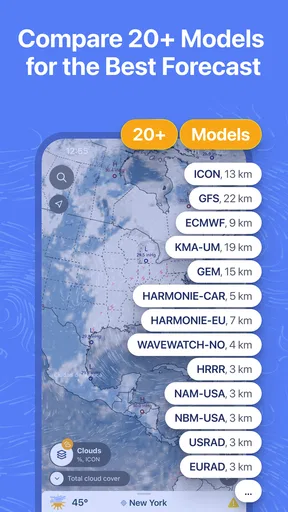
Ventusky sources its weather data from reputable meteorological models and institutions, ensuring high accuracy in its forecasts. The app combines data from multiple sources, including the European Centre for Medium-Range Weather Forecasts (ECMWF) and the Global Forecast System (GFS), to deliver reliable weather predictions.
Can I customize the weather alerts in Ventusky: Weather Maps & Radar?
Yes, Ventusky allows users to customize weather alerts based on their preferences. You can set notifications for specific weather conditions such as storms, heavy rain, or extreme temperatures. This feature helps users stay informed and prepared for any significant weather changes in their area.
